RedmineStudio Settings④ -User List, Data Output-
redminepower
RedminePower

Coming soon… >>
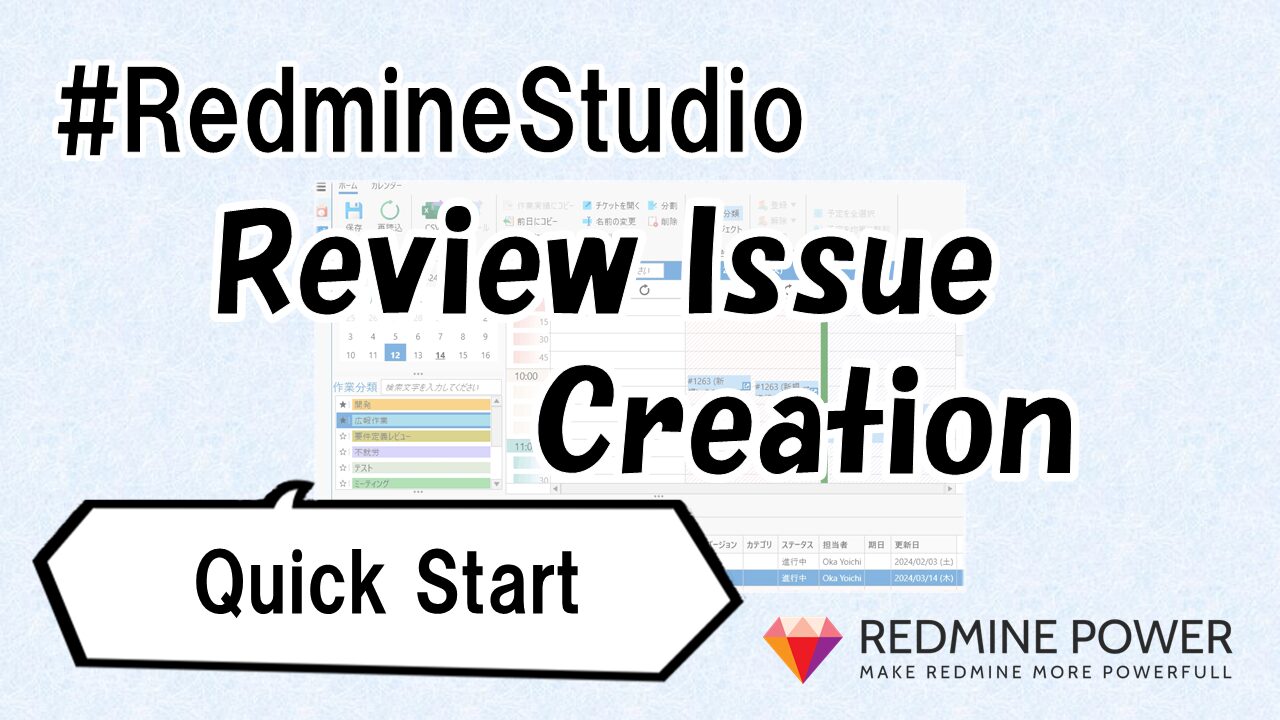
This is an explanation of RedmineStudio’s review issue creation feature.
This article covers the feature for copying Wiki content to session issues and request issues. Using this feature, you can define standard text in a Wiki and automatically add it to issue descriptions based on tracker or title when creating issues.
This feature was originally developed in response to feedback: ‘When creating review issues, I want to automatically add phase-specific review checklists to the issue description‘.
Seeing is believing, so let me show you what this feature can do.
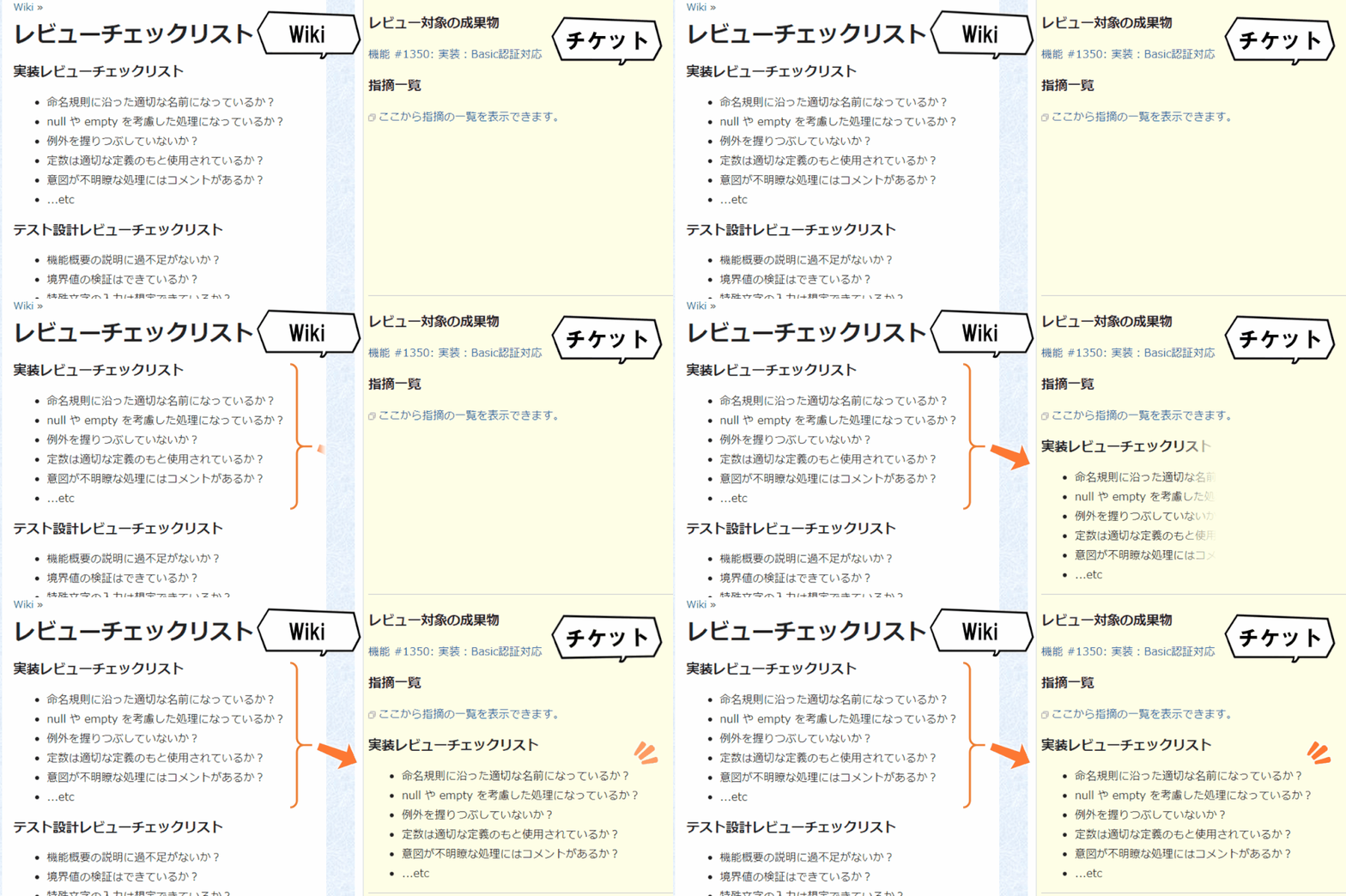
Suppose you have a Wiki page named “Review Checklist”. And you want to add the “Implementation Review” checklist to implementation review issues.
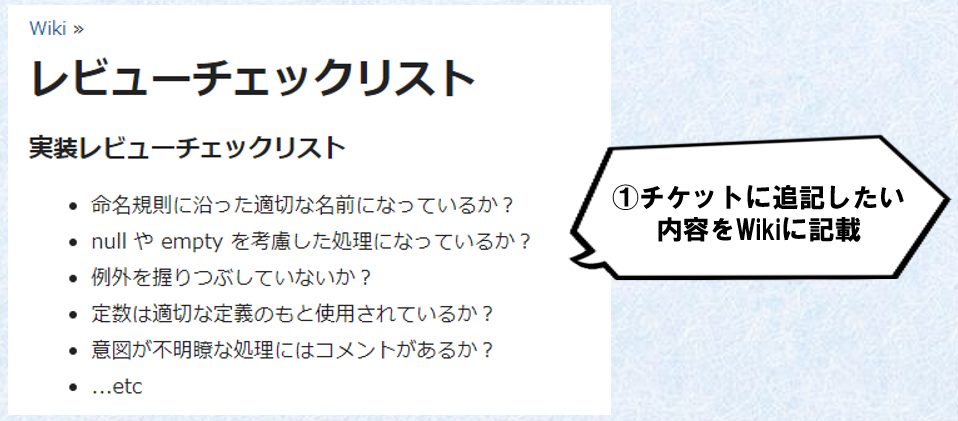
In this case, you configure it like this: ‘If the title of the target issue contains “Implementation”, copy the content from the “Implementation Review Checklist” section of the “Review Checklist” page to the session issue!’
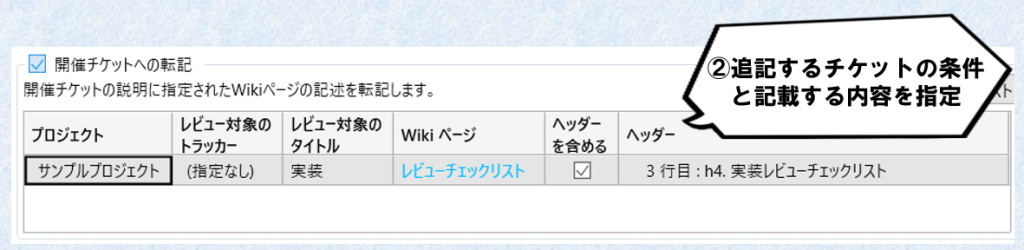
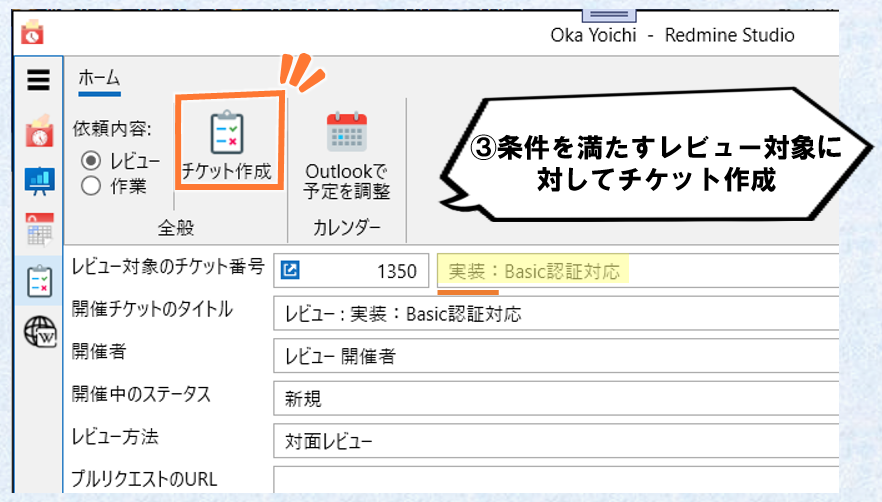
With this configuration, create an issue targeting an issue with “Implementation” in the title.
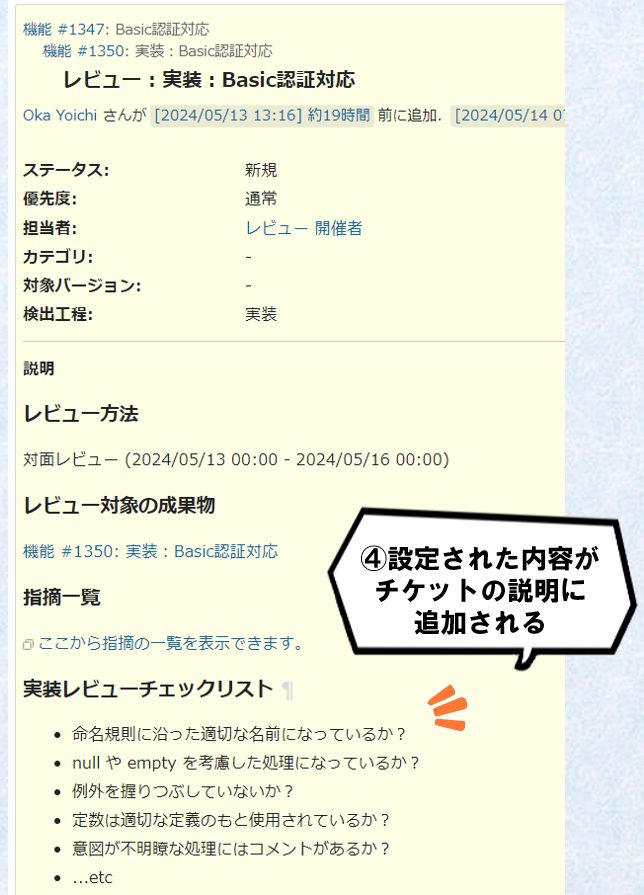
Then, the implementation review checklist is copied to the session issue’s description.
What do you think?
By configuring the issue and copy content settings (②) appropriately, you can automatically add phase-specific checklists to each review issue.
The following sections explain the detailed configuration methods.
Open the review screen and click the “” at the bottom left. Select the “Review Description” tab, check “Copy to Session Issue” or “Copy to Request Issue”, and add copy settings to enable the copy feature.
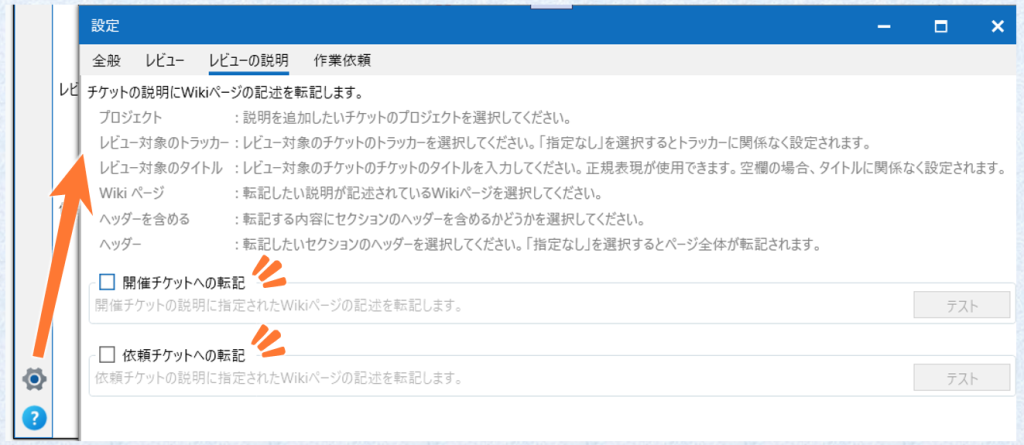
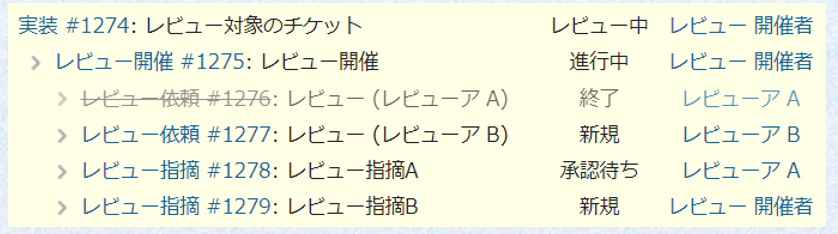
Use “Copy to Session Issue” or “Copy to Request Issue” depending on which type of issue you want to copy content to. For information about the issue structure when doing review work with RedmineStudio, see here.
Here’s how to configure individual copy settings.
Use “Project”, “Target Issue Tracker”, and “Target Issue Title” to set the conditions for when to copy, and use “Wiki Page” and subsequent settings to configure what to copy.
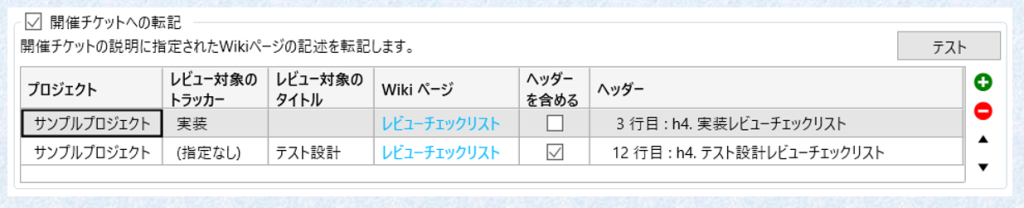
In the example above, you can achieve the following copies:
You can also verify the content to be copied by clicking the “Test” button at the top right. Use this to confirm that the content is as intended.
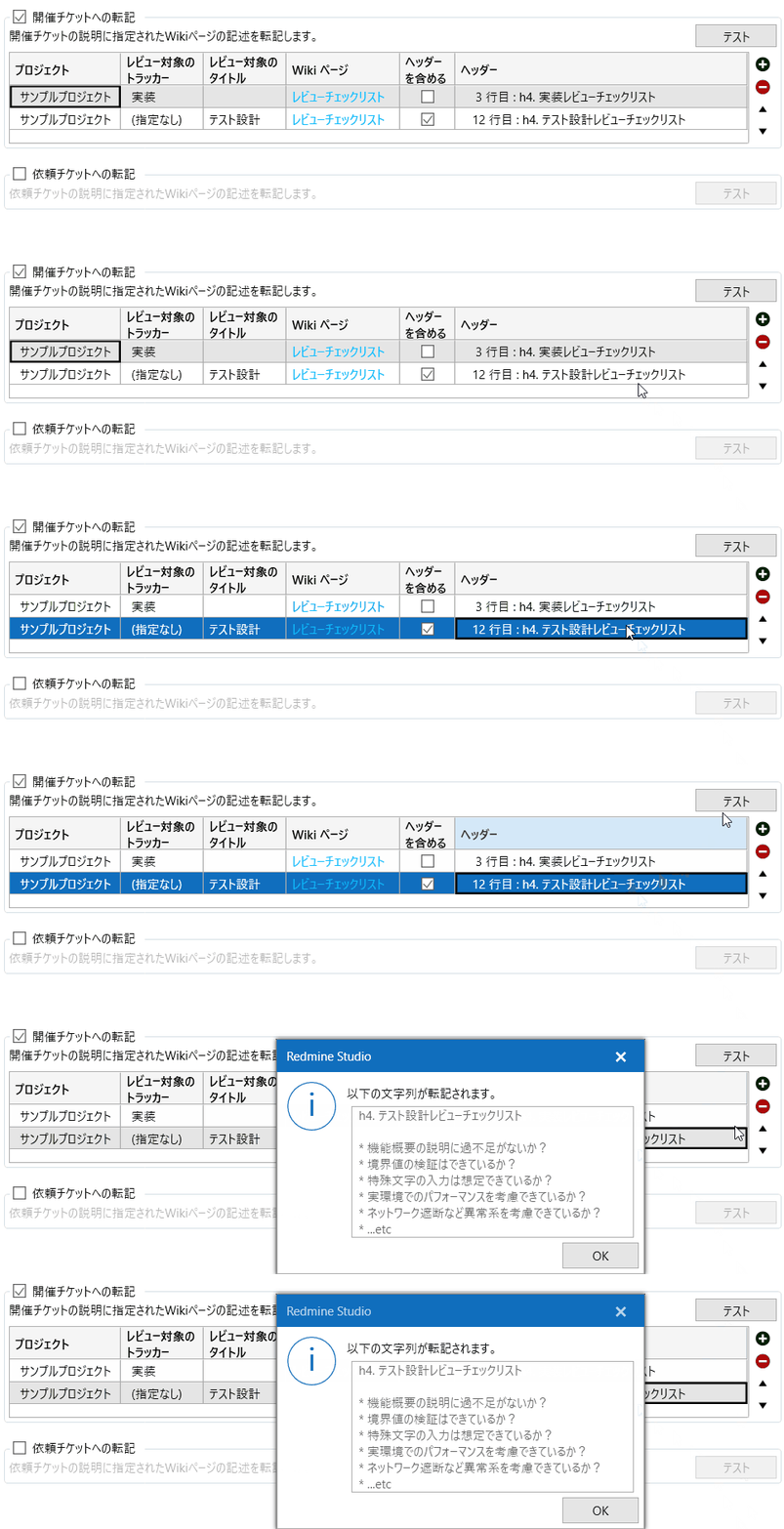
This concludes the explanation of the feature for copying Wiki content to issue descriptions.
What do you think?
‘Adding different checklists for each phase to the description of each phase’s review issues’
If RedmineStudio can contribute even a little to reducing this tedious-sounding task, we’re very happy!
We’ve also provided a “Test” button to verify the actual text that will be copied, so please try it out and find ways to use it that benefit your work.
We’re always waiting for feedback on feature additions and improvements!
Please contact us if you have any suggestions.
Coming soon… >>