RedmineStudio Recording the Review Target Phase
redminepower
RedminePower

This is a quick start guide for the Review Issue Creation feature in RedmineStudio.
Originally provided as a separate OSS application, we have integrated it into RedmineStudio to make it more convenient through integration with time tracking.
RedmineStudio proposes a “issue-driven” approach to review work.
We hope you can relate to its goals even a little.
First, let’s look at the benefits of “issue-driven” reviews and the actual issue structure.
Next, let’s explain how to create issues for “issue-driven” reviews. RedmineStudio implements review work with the following issue structure.
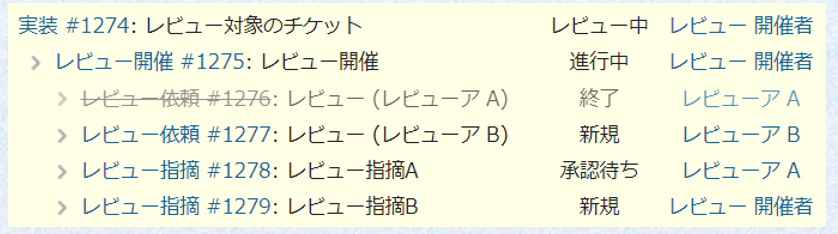
In the example above, the “Organizer” has requested a review of #1274 from “A” and “B.”
Also, from these issues, we can see the current state is as follows.
(This easy visualization is also a benefit of issue-driven approach!)
RedmineStudio turns review work into issues in this way.
However, you might think creating such a issue structure is difficult.
That’s where the Review Issue Creation feature comes in.
Let’s look at how to actually proceed with review work.
Here, we’ll explain the flow focusing on minimal features and settings.
This is the review organizer’s task.
Create the “Organizer Issue” and “Request Issues” for the review.
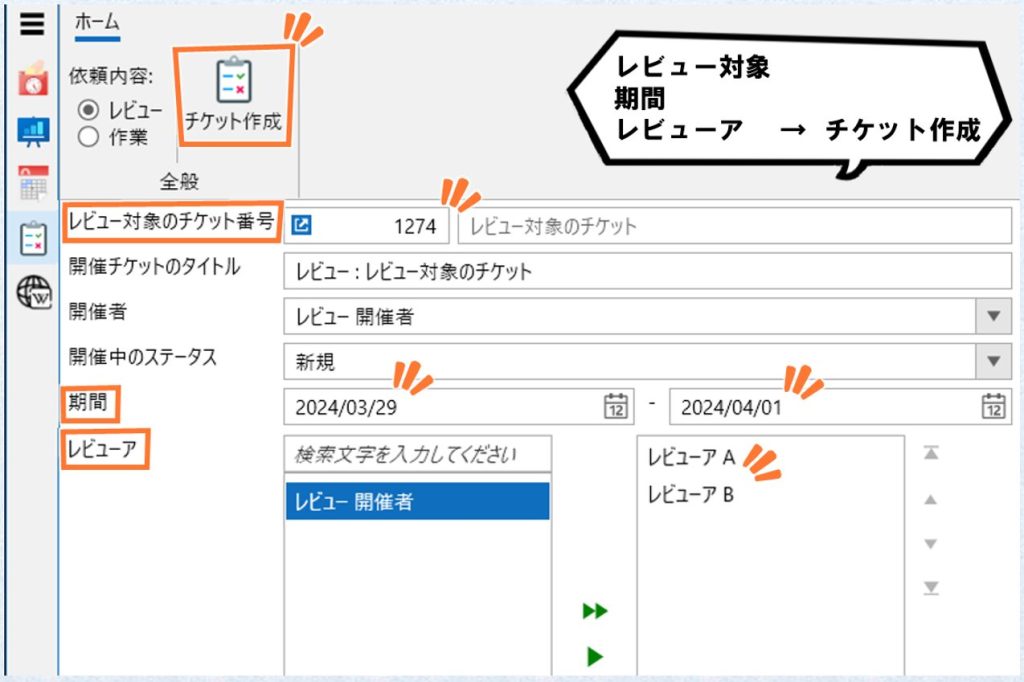
Select “Review” from the left side of the input screen, set the “Review Target,” “Period,” and “Reviewers,” then click the “Create Issue” button.
This will create an “Organizer Issue” with the organizer as the assignee, and “Request Issues” for each reviewer will be created as child issues.
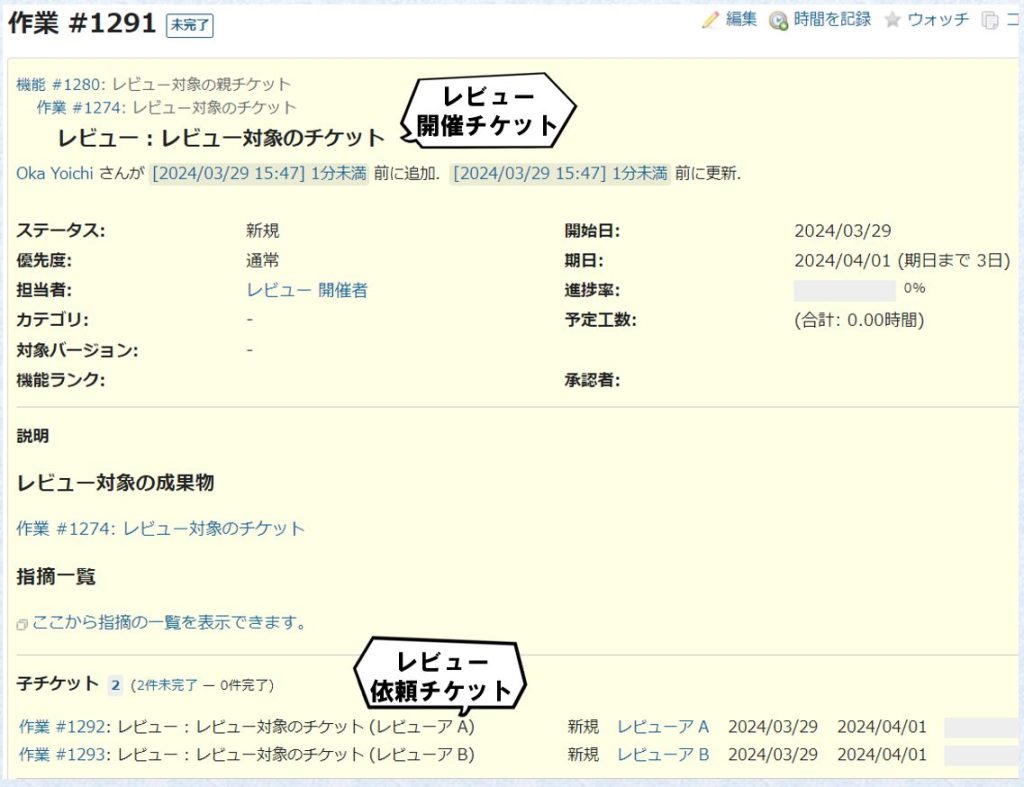
The review preparation is now complete.
From here, the review organizer and reviewers work together to proceed.
Reviewers should proceed with the review.
The assigned “Request Issue” looks like this.
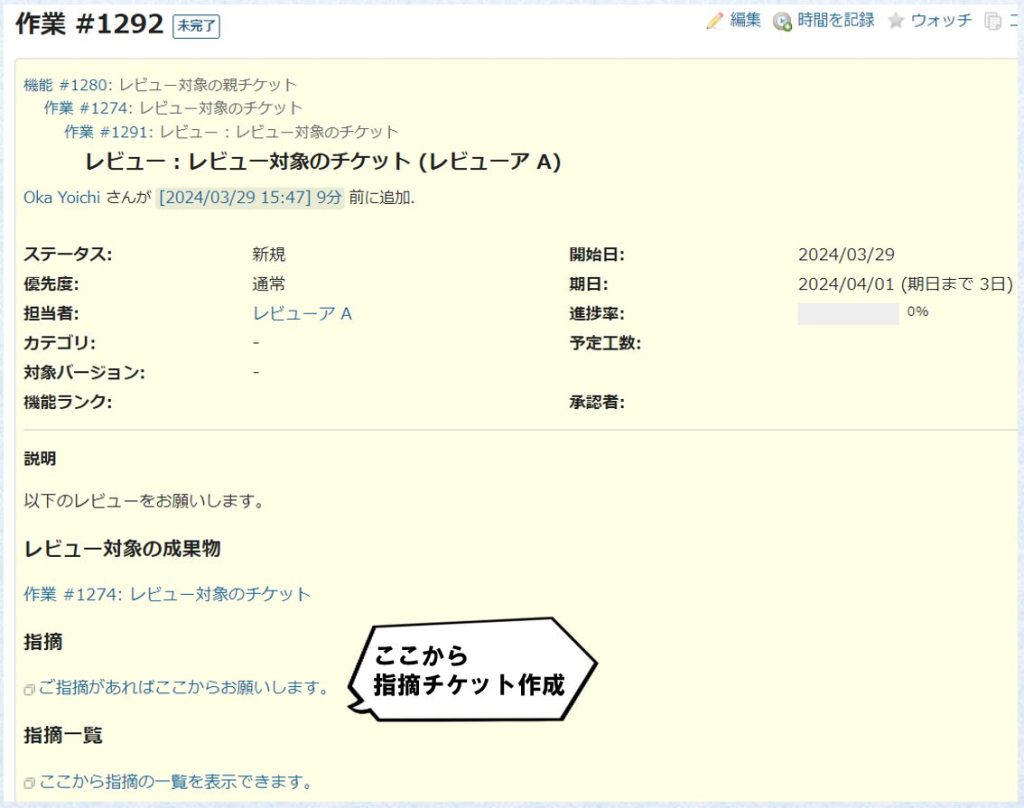
To add feedback, click the “Feedback” link.
Clicking it displays the issue creation screen. Fill in the “Subject” and “Description” according to the feedback content, then click “Create.” The “Feedback Issue” you created will be registered as a child issue of the “Organizer Issue” as shown below.

Once the reviewer has gone through all review targets and submitted all feedback, close the “Request Issue.” This lets others know that you have finished reviewing.
When reviewers add feedback, the review organizer should address them.
After incorporating the feedback, ask the reviewer who provided it to confirm the content. If the reviewer confirms there are no issues, the work for this review feedback is complete, so close the “Feedback Issue.” If there are any shortcomings in the response, communicate on this “Feedback Issue” to complete the work.
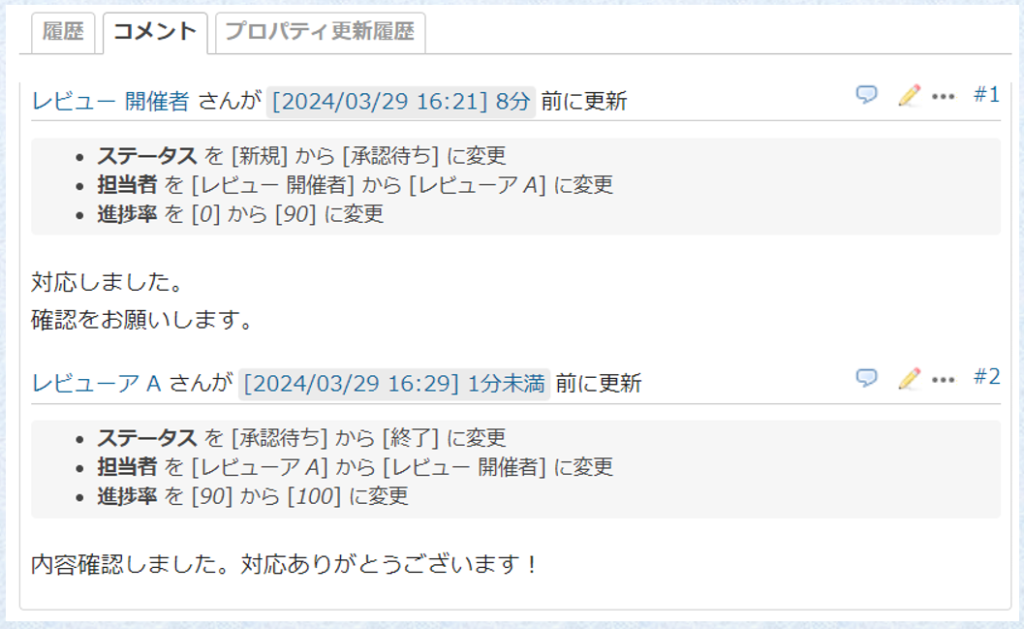
When all reviewers have completed their reviews and all feedback has been addressed, the review work is complete. In terms of issues, once all “Request Issues” and “Feedback Issues” are closed, you can close the “Organizer Issue.”
This completes the review work using RedmineStudio.
What did you think?
Even though we call it “issue-driven,” the actual work isn’t that difficult, is it?
Although this is called a quick start, we didn’t get to talk much about the app itself.
There are still many features we haven’t introduced.
There are also features realized from feedback from users, so please look forward to them.
However, for those of you seeing this approach for the first time,
some might think it’s unrealistic and far-fetched.
Of course, what has become “customary” in daily work has accumulated achievements.
And there must have been rational reasons in the past for it to have accumulated this far.
But I still want to suggest it.
“Why not stop using Excel for reviews?”